
Less inbox clutter
Snooze emails and focus
on what matters now.


A free extension for Gmail
Snooze emails until you’re ready or
tell your whole inbox to f&#k off.
Free extension. Runs while Chrome is open and online.

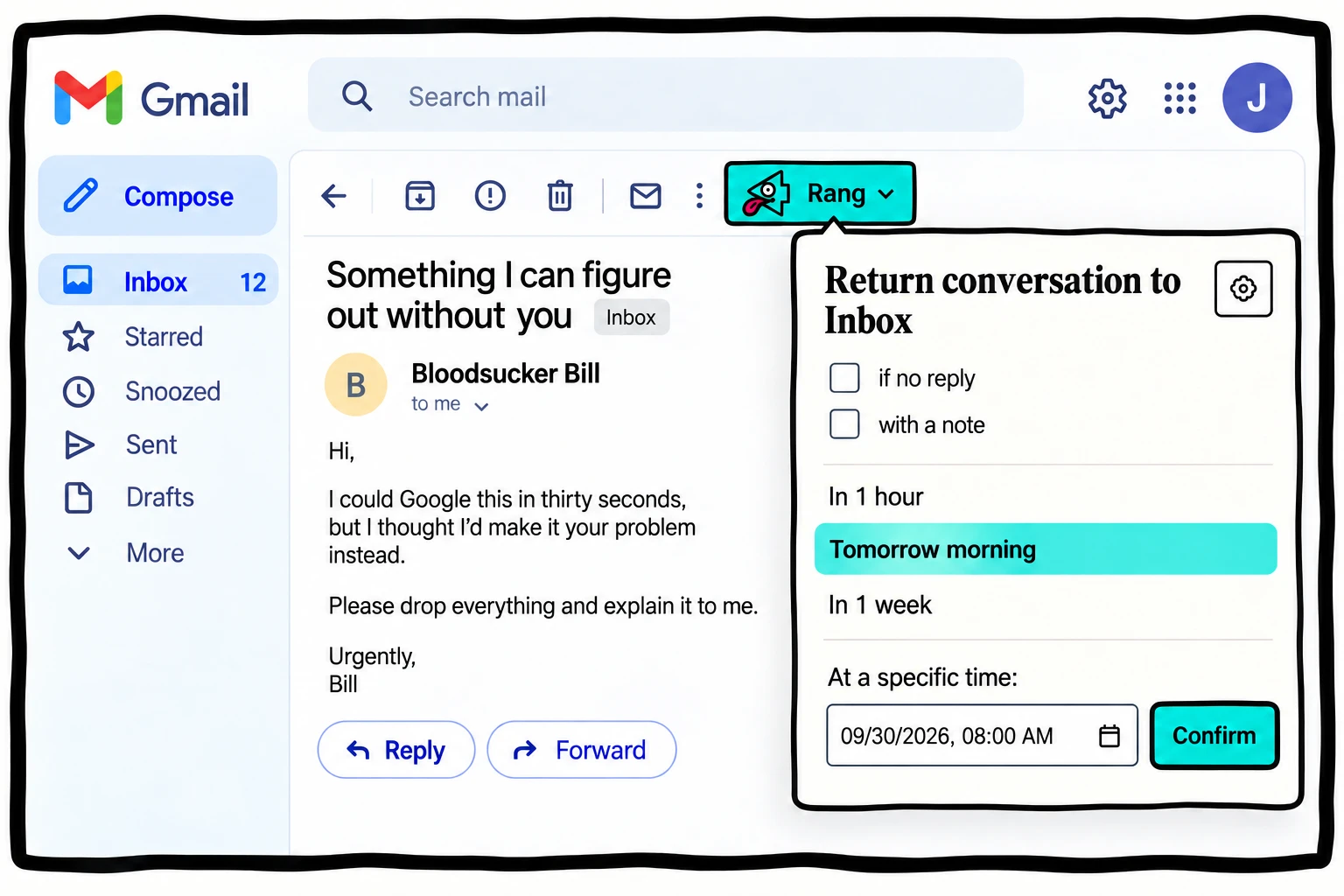
Open a conversation in Gmail and click Rang.
Snooze it for later, or set a follow-up if there's no reply.
It returns to your inbox when you're ready for it.
Snooze emails and focus
on what matters now.
Set a reminder if nobody replies.

A simple extension that works
right where you already are.
 Gmail
GmailClick Hide Inbox.
The message list disappears.
Compose, search and use Gmail without the distraction.
Your messages are still there. Show the inbox whenever you want.
Add to ChromeChrome must be open and online for Rangs to run.Want Rangs to run while you’re away? Request access to OpenRang Hosted.
Click Add to Chrome to install it from the Chrome Web Store. Open Gmail, click Activate OpenRang! and approve access for the inbox you want to use.
The conversation leaves your inbox and stays in All Mail. At the chosen time, OpenRang adds a private reminder to that conversation and returns it to your inbox. You can change or cancel an upcoming Rang from settings.
No. The reminder is inserted directly into your mailbox, not sent to the other participants. Your private note is included only in that reminder.
Choose “if no reply” when scheduling. OpenRang checks for replies when the Rang is due and cancels the return if it finds a qualifying reply.
Not in the current Chrome extension. Chrome must be running and online. Missed Rangs catch up after Chrome resumes or reconnects. The hosted version is in development and will address this.
No. A Rang after send is armed alongside Gmail's normal Send button. Gmail's Undo Send remains available, and OpenRang verifies the sent message before activating the reminder.
The Chrome extension is free, with no subscription. Hosted OpenRang is not available yet, and its pricing has not been announced.
The self-hosted extension keeps reminder times, account identifiers, subjects, message identifiers and any private notes in your Chrome profile. It uses Google's Gmail API to manage your conversations and insert your private reminders.
There are no analytics or third-party tracking scripts on this website. The hosted preview does not collect email addresses. Website hosting and domain providers may process ordinary request data to serve these pages.
Before disabling or uninstalling the extension, cancel and restore pending snoozed Rangs. Uninstalling removes the local schedule, but your original email remains in All Mail.